 Skip to content
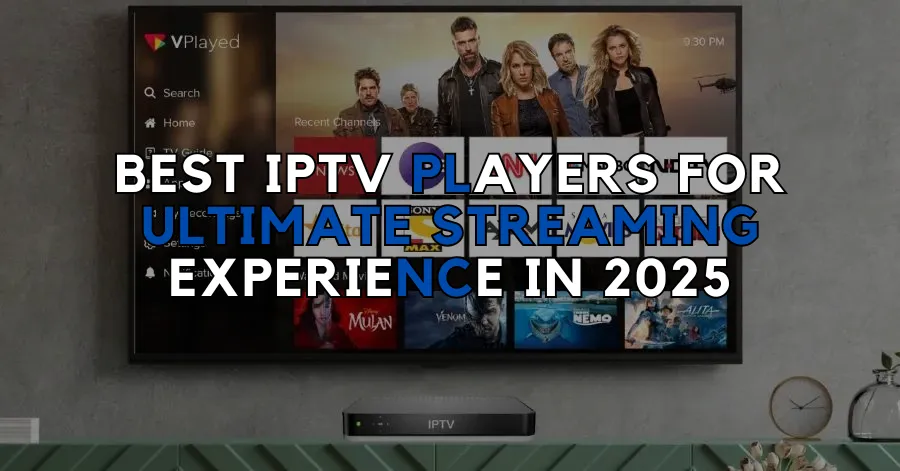
Understanding IPTV Players
What is an IPTV Player?
An IPTV player is a software application or device that allows users to stream television content over the Internet using the Internet Protocol (IP). Unlike traditional cable or satellite TV, which relies on physical signals, IPTV delivers content through broadband connections, providing a more flexible and often more cost-effective viewing experience. With an IPTV player, you can access a vast array of channels and on-demand content, making it a popular choice among viewers looking for diverse entertainment options.
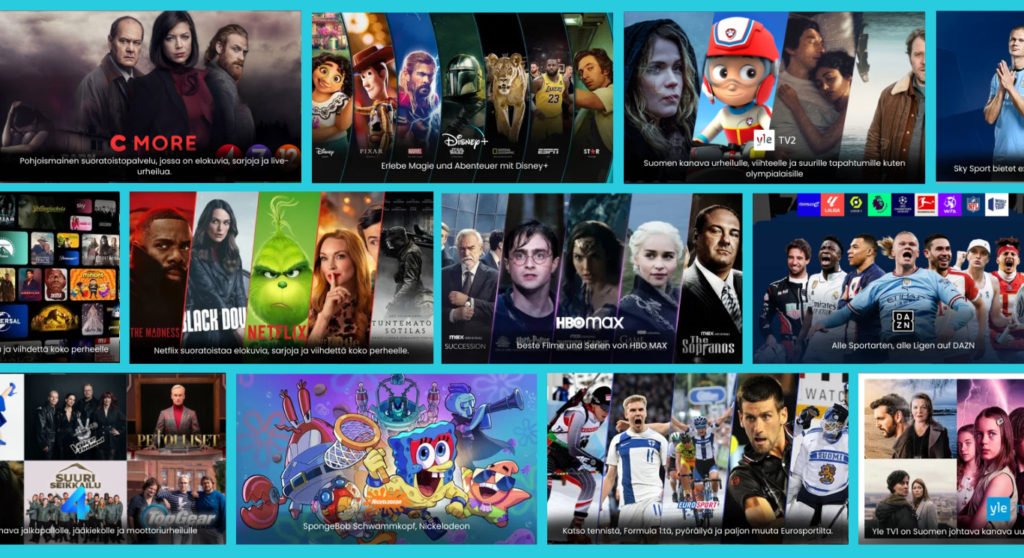
IPTV players are compatible with various devices, including smartphones, tablets, smart TVs, and computers. This versatility means you can enjoy your favorite shows and movies anytime, anywhere. For instance, if you’re an iPhone user, you can easily find an IPTV player for iPhone that suits your needs. Similarly, Android users can explore options tailored for their devices, ensuring a seamless streaming experience.
How IPTV Players Work
IPTV players function by connecting to a server that hosts the content you wish to watch. When you select a channel or video, the player retrieves the data from the server and streams it directly to your device. This process typically involves the following steps:
- Connection to the Internet: The IPTV player requires a stable internet connection to function effectively. A high-speed connection is recommended for optimal streaming quality.
- Accessing Content: Users can access content through various methods, such as M3U links, which are playlists that contain the URLs of the channels or videos. This allows for easy navigation and selection of desired content.
- Decoding and Playback: Once the content is retrieved, the IPTV player decodes the data and plays it back on your device. This process is usually quick, allowing for minimal buffering and interruptions.
- User Interface: Most IPTV players come with user-friendly interfaces that make it easy to browse channels, search for specific content, and manage subscriptions.
For those interested in using M3U links, many IPTV players support this feature, enabling users to customize their viewing experience by adding their preferred channels.
In summary, an IPTV player is essential for anyone looking to enhance their streaming experience. With the right player, you can access a wide range of channels and enjoy the flexibility of watching content on your terms. For more information on how IPTV works, check out our detailed guide on how IPTV works.
By understanding the fundamentals of IPTV players, you can make informed decisions about which player best suits your needs. Whether you’re using an IPTV player for Android, Mac, or Chromecast, the right choice can significantly enhance your viewing experience.
For those looking to explore the extensive offerings of IPTV channels, visit our IPTV channels page to discover what Pro IPTV Suomi has to offer.
Stay tuned for the next section, where we will delve into the benefits of using an IPTV player, ensuring you get the most out of your streaming experience!
Benefits of Using an IPTV Player
Access to a Wide Range of Channels
One of the most significant advantages of using an IPTV player is the access to a wide range of channels. Unlike traditional cable services that often limit your viewing options, IPTV players provide a vast library of channels from around the globe. This means you can enjoy everything from local Finnish channels to international networks, all in one place.
Here are some key benefits of channel access through IPTV players:
- Diverse Content: With an IPTV player, you can access thousands of channels, including sports, news, entertainment, and educational programming. This diversity ensures that there is something for everyone in the family.
- On-Demand Options: Many IPTV players also offer on-demand content, allowing you to watch movies and series whenever you want. This feature is particularly useful for busy individuals who may not have time to watch live broadcasts.
- Customization: Users can often customize their channel lists, adding or removing channels based on personal preferences. This flexibility enhances the viewing experience, making it more tailored to individual tastes.
For instance, if you are looking for an IPTV player for iPhone, you can easily find applications that provide access to a wide array of channels, ensuring you never miss your favorite shows. Similarly, IPTV players for Android and Mac devices offer comparable access, making it easy to enjoy content on your preferred device.
Flexibility and Convenience
Another compelling reason to use an IPTV player is the flexibility and convenience it offers. Here’s how IPTV players stand out in this regard:
- Multi-Device Support: IPTV players are compatible with various devices, including smartphones, tablets, smart TVs, and computers. This means you can watch your favorite shows on the go or from the comfort of your living room. For example, using an IPTV player for Chromecast allows you to stream content directly to your TV, enhancing your viewing experience.
- User-Friendly Interfaces: Most IPTV players come equipped with intuitive interfaces that make navigation simple. You can easily browse channels, search for specific content, and manage your subscriptions without any hassle.
- No Long-Term Contracts: Unlike traditional cable services that often require long-term contracts, many IPTV providers offer flexible subscription plans. This allows you to choose a plan that fits your budget and viewing habits without being locked into a lengthy commitment. For more details on subscription options, check out our subscription plans.
In addition, IPTV players often support M3U links, which allow users to create personalized playlists of their favorite channels. This feature adds another layer of convenience, enabling you to curate your viewing experience according to your preferences.
In summary, the benefits of using an IPTV player are numerous. From accessing a wide range of channels to enjoying the flexibility of watching on multiple devices, IPTV players enhance your streaming experience significantly. If you’re interested in exploring the extensive offerings of IPTV channels, visit our IPTV channels page to discover what Pro IPTV Suomi has to offer.
Stay tuned for the next section, where we will explore the top IPTV players available for different devices, ensuring you find the perfect fit for your streaming needs!
Top IPTV Players for Different Devices
Best IPTV Player for iPhone
When it comes to streaming on your iPhone, having a reliable IPTV player is essential for an optimal viewing experience. One of the top choices for iPhone users is GSE Smart IPTV. This player is highly rated for its user-friendly interface and robust features. Here are some key highlights:
- M3U Support: GSE Smart IPTV allows users to import M3U playlists easily, enabling access to a wide range of channels.
- EPG Support: The Electronic Program Guide (EPG) feature provides users with a comprehensive view of upcoming shows and schedules.
- AirPlay Compatibility: You can stream content directly to your Apple TV, enhancing your viewing experience on larger screens.
For more information on how to set up your IPTV player on iPhone, check out our installation guide.
Best IPTV Player for Android
Android users have a plethora of options when it comes to choosing an IPTV player. One of the most popular choices is IPTV Smarters Pro. This player stands out due to its extensive features:
- User-Friendly Interface: The app is designed for easy navigation, making it simple to browse channels and on-demand content.
- Multi-Device Support: IPTV Smarters Pro is compatible with various Android devices, including smartphones and tablets.
- Parental Controls: This feature allows parents to restrict access to certain content, ensuring a safe viewing environment for children.
For those looking to explore the best IPTV services in Finland, visit our IPTV services page.
Best IPTV Player for Mac
For Mac users, VLC Media Player is a top choice for streaming IPTV content. While VLC is primarily known as a media player, it also supports IPTV streaming through M3U links. Here’s why it’s a great option:
- Cross-Platform Compatibility: VLC is available on multiple platforms, making it easy to switch between devices.
- Customizable Interface: Users can tailor the interface to their preferences, enhancing the overall experience.
- No Subscription Fees: VLC is free to use, making it an economical choice for those looking to stream IPTV content without additional costs.
To learn more about how IPTV works and how to set it up on your Mac, check out our detailed guide on how IPTV works.
Best IPTV Player for Chromecast
If you want to stream IPTV content on your TV using Chromecast, Perfect Player is an excellent choice. This IPTV player is known for its sleek design and powerful features:
- Easy Setup: Perfect Player allows for quick setup and configuration, making it user-friendly for beginners.
- M3U and XSPF Support: Users can easily import playlists and access a wide range of channels.
- EPG Integration: The EPG feature provides a detailed schedule of upcoming shows, enhancing the viewing experience.
For more information on how to set up your IPTV player with Chromecast, refer to our installation guide.
Using IPTV Player with M3U Links
M3U links are a popular way to access IPTV channels, and many IPTV players support this feature. Here’s how to use M3U links effectively:
- Obtain M3U Links: You can find M3U links from various IPTV providers or forums. Ensure that the source is reputable to avoid issues.
- Importing Links: Most IPTV players allow you to import M3U links directly. Simply navigate to the settings or playlist section of your player and paste the link.
- Enjoy Streaming: Once the M3U link is imported, you can start browsing channels and enjoy your favorite content.
Using M3U links not only enhances your viewing experience but also allows for greater customization of your channel lineup. For more details on the channels available through Pro IPTV Suomi, visit our IPTV channels page.
In conclusion, choosing the right IPTV player for your device can significantly enhance your streaming experience. Whether you’re using an IPTV player for iPhone, Android, Mac, or Chromecast, there are excellent options available to suit your needs. Stay tuned for the next section, where we will discuss how to choose the right IPTV player based on your preferences and requirements!
How to Choose the Right IPTV Player
Choosing the right IPTV player is crucial for ensuring a seamless and enjoyable streaming experience. With numerous options available, it can be overwhelming to determine which player best suits your needs. In this section, we will explore the key features to look for when selecting an IPTV player and discuss compatibility with various devices.
Key Features to Look For
When evaluating different IPTV players, consider the following essential features that can enhance your viewing experience:
- User Interface: A user-friendly interface is vital for easy navigation. Look for players that offer intuitive layouts, making it simple to browse channels and access on-demand content. A well-designed interface can significantly improve your overall experience.
- M3U Support: Many IPTV players allow users to import M3U playlists, which contain links to various channels. This feature is essential for those who want to customize their viewing experience by adding or removing channels as desired.
- Device Compatibility: Ensure that the IPTV player you choose is compatible with your devices. Whether you are using an IPTV player for iPhone, Android, Mac, or Chromecast, compatibility is key to enjoying your favorite content on the go.
- Streaming Quality: Look for players that support high-definition (HD) and 4K streaming. The ability to stream in high quality can significantly enhance your viewing experience, especially for sports and action-packed content.
- EPG Support: An Electronic Program Guide (EPG) feature allows users to view upcoming shows and schedules. This feature is particularly useful for planning your viewing and ensuring you don’t miss your favorite programs.
- Multi-Device Support: If you plan to use your IPTV player on multiple devices, choose one that supports cross-platform functionality. This way, you can enjoy your content on your smartphone, tablet, or smart TV without any hassle.
- Customer Support: Reliable customer support is essential, especially if you encounter issues during setup or while using the player. Look for players that offer responsive customer service to assist you when needed.
Compatibility with Your Devices
Compatibility is a crucial factor when selecting an IPTV player. Here’s a breakdown of some popular devices and the best IPTV players for each:
- iPhone: For iPhone users, GSE Smart IPTV is a top choice due to its robust features and ease of use. It supports M3U playlists and offers EPG functionality, making it ideal for streaming on the go.
- Android: Android users can benefit from IPTV Smarters Pro, which provides a user-friendly interface and multi-device support. This player is perfect for those who want to enjoy IPTV content on their smartphones or tablets.
- Mac: If you’re using a Mac, VLC Media Player is an excellent option. While primarily a media player, it supports IPTV streaming through M3U links, making it a versatile choice for Mac users.
- Chromecast: For those looking to stream content on their TV, Perfect Player is a great choice. It allows for easy setup and supports M3U links, enabling you to enjoy IPTV content on a larger screen.
In summary, when choosing the right IPTV player, consider the key features that will enhance your viewing experience and ensure compatibility with your devices. By selecting a player that meets your needs, you can enjoy a seamless streaming experience tailored to your preferences.
For more information on the extensive offerings of IPTV channels, visit our IPTV channels page. Stay tuned for the next section, where we will provide a step-by-step guide on setting up your IPTV player for optimal performance!
Setting Up Your IPTV Player
Setting up your IPTV player is a crucial step in ensuring a smooth and enjoyable streaming experience. Whether you are using an IPTV player for iPhone, Android, Mac, or Chromecast, the installation process can vary slightly. In this section, we will provide a comprehensive step-by-step installation guide and troubleshoot common issues you may encounter along the way.
Step-by-Step Installation Guide
- Choose Your IPTV Player: First, select the IPTV player that best suits your device and preferences. Popular options include GSE Smart IPTV for iPhone, IPTV Smarters Pro for Android, VLC Media Player for Mac, and Perfect Player for Chromecast.
- Download the App:
- For iPhone: Go to the App Store, search for GSE Smart IPTV, and download the app.
- For Android: Visit the Google Play Store, search for IPTV Smarters Pro, and install it.
- For Mac: Download VLC Media Player from the official website.
- For Chromecast: Install Perfect Player from the Google Play Store on your Android device.
- Open the App: Once the app is installed, open it to begin the setup process.
- Add M3U Links:
- Most IPTV players allow you to add M3U links directly. Look for an option like “Add Playlist” or “Import M3U.”
- Paste the M3U link you obtained from your IPTV provider. Ensure that the link is valid and from a reputable source.
- Configure Settings:
- Adjust the settings according to your preferences. This may include enabling EPG support, customizing the interface, and setting up parental controls if necessary.
- For VLC Media Player, go to “Media” > “Open Network Stream” and paste your M3U link to start streaming.
- Start Streaming: After adding your M3U link and configuring the settings, you can start browsing channels and enjoy your favorite content.
- Test Your Connection: Ensure that your internet connection is stable. A high-speed connection is recommended for optimal streaming quality.
Troubleshooting Common Issues
Even with a straightforward setup process, you may encounter some common issues while using your IPTV player. Here are some troubleshooting tips to help you resolve them:
- Buffering Issues: If you experience buffering, check your internet connection speed. A minimum of 10 Mbps is recommended for HD streaming. Consider connecting your device directly to the router via Ethernet for a more stable connection.
- M3U Link Not Working: If your M3U link is not functioning, double-check the link for accuracy. Ensure that it is correctly formatted and that you have an active subscription with your IPTV provider.
- App Crashes or Freezes: If the app crashes or freezes, try restarting your device and reopening the app. If the problem persists, consider reinstalling the app.
- No Channels Available: If you see a blank screen or no channels available, verify that your M3U link is valid and that your subscription is active. You may also want to contact your IPTV provider for assistance.
- EPG Not Loading: If the Electronic Program Guide (EPG) is not loading, ensure that you have enabled EPG support in the app settings. Some players may require you to input an additional EPG URL provided by your IPTV service.
By following these steps and troubleshooting tips, you can successfully set up your IPTV player and enjoy a seamless streaming experience. For more information on the extensive offerings of IPTV channels, visit our IPTV channels page.
In the next section, we will explore Pro IPTV Suomi as your go-to IPTV provider in Finland, detailing the services and subscription plans available to enhance your viewing experience!
Pro IPTV Suomi: Your Go-To IPTV Provider in Finland
Overview of Pro IPTV Suomi Services
Pro IPTV Suomi stands out as a premier IPTV provider in Finland, offering an extensive library of over 36,000 TV channels and more than 250,000 Video on Demand (VOD) movies and series. This vast selection ensures that viewers have access to a diverse range of content, catering to various tastes and preferences. Whether you’re a fan of local Finnish programming or international shows, Pro IPTV Suomi has something for everyone.
The service is designed with user convenience in mind, providing compatibility with multiple devices. This means you can enjoy your favorite content on your iPhone, Android, Mac, or even stream it directly to your TV using Chromecast. The flexibility of Pro IPTV Suomi allows you to watch your favorite shows anytime, anywhere, making it an ideal choice for modern viewers.
For more information on the channels available, visit our IPTV channels page.
Subscription Plans and Pricing
Pro IPTV Suomi offers a variety of subscription plans tailored to meet the needs of different users. While specific pricing details may vary, similar services in the market typically range from €6.5 to €39.99 per month, depending on the package and features. Here’s a general overview of what you can expect:
- Basic Plan: Access to a limited selection of channels and VOD content, perfect for casual viewers.
- Standard Plan: A more extensive channel lineup, including popular international networks and additional VOD options.
- Premium Plan: Full access to all channels, including exclusive content and high-definition streaming options.

Pro IPTV Suomi also emphasizes flexibility, allowing users to choose plans that fit their viewing habits without being locked into long-term contracts. For detailed pricing and to explore the available plans, check out our subscription plans page.
Free Trial and Money-Back Guarantee
One of the standout features of Pro IPTV Suomi is the free trial offered to new users. This allows potential customers to experience the service firsthand before committing to a subscription. The free trial is an excellent opportunity to explore the extensive channel offerings and test the streaming quality on your preferred devices.
Additionally, Pro IPTV Suomi provides a money-back guarantee within 30 days of subscription. This policy ensures that if you are not satisfied with the service, you can request a refund, making it a risk-free option for those new to IPTV.
For any inquiries or assistance, Pro IPTV Suomi offers responsive customer support. You can reach out via their website or contact them directly at this link.
In conclusion, Pro IPTV Suomi is your go-to IPTV provider in Finland, offering a comprehensive range of channels, flexible subscription plans, and a commitment to customer satisfaction. With the ability to stream on various devices and a free trial available, there’s no better time to elevate your viewing experience with Pro IPTV Suomi.
Stay tuned for the next section, where we will address frequently asked questions about IPTV players, ensuring you have all the information you need to make the most of your streaming experience!
Conclusion: Elevate Your Streaming Experience with IPTV Players
In summary, choosing the right IPTV player can significantly enhance your viewing experience, providing you with access to a vast array of channels and on-demand content. With Pro IPTV Suomi, you benefit from:
- 24/7 Support: Our dedicated customer service team is always available to assist you with any questions or issues you may encounter.
- Comprehensive Setup Guides: We provide easy-to-follow instructions to help you get your IPTV player up and running smoothly.
- Up-to-Date IPTV Content: Enjoy a diverse library of over 36,000 TV channels and more than 250,000 VOD movies and series, ensuring you never run out of entertainment options.
Whether you’re streaming on your iPhone, Android, Mac, or using Chromecast, Pro IPTV Suomi is designed to meet your needs and preferences.
Ready to elevate your streaming experience? 🌟 Visit our pricing page to explore our subscription plans, or if you have any questions, feel free to reach out via WhatsApp at this link. We’re here to help you enjoy the best IPTV experience in Finland!
